G N e t P r o
Core Modules
- Server +
- Server Installation
- Types of servers and roles
- Software and Hardware Configuration
- Processors, Motherboard and storage devices, networking and fault tolerance.
- Network operating system and TCP/IP
- Up gradation
- Risk Assessment
- Backups & Disaster recovery
- Server Security
- Troubleshooting
MCITP Server Administration: Windows
- Server 2008 Administration
- Windows Server 2008 Installation and Administration
- Automated Server Deployment
- Windows Deployment Services and Network Connectivity
- IPv6 in Windows Server 2008
- Domain and Forest Functionality
- Group Policy in Windows Server 2008
- Application Servers and Deployment
- Server and Application Virtualization
- Terminal Services Remote App
- File and Print Servers
- Provisioning Data and Credential Delegation
- Remote Administration Technologies
- Windows Server 2008 Patch Management Strategies
- Replica Mode and Autonomous Mode
- WSUS (Windows Server Update Services)
- Server Security and Remote Access
- VPN (Virtual Private Network) Protocols
- Network Policy Server and Remote Access Accounting
- Network Access Protection
- Storage Area Networks and Logical Unit Numbers (LUN)
- Certificate Services Role-Based Administration
- Credential Roaming and Web Enrolment Support
- Online Responder for Certificate Services
- Network Device Enrolment Service
- Clustering and High Availability
- Backing Up Data and Disaster Recovery
MCITP Server Administration:
- Windows Server 2008 Network Infrastructure, Configuring
- DNS Server Role and Domain Name System
- Recursive and Iterative Queries
- Forward and Windows internet Name System
- Overview of the DHCP Server Role
- Dual Layer Architecture
- ISATASP Tunnelling and Port Proxy
- Transitioning from IPv4 to IPv6
- Network and VPN Access
- Network Policy Server
- RADIUS Clients and Servers
- NPS Authentication Methods
- Log File Properties
- SQL Server Logging
- Overview of IP sec
- Storage Technologies
- Windows Server 2008 Storage Management Overview
- Common Capacity Management Challenges
- File Server Resource Manager
- Quota Management
- Network load balancing manager
- Security and Audit policy
- WSUS Administration
MCITP Server Administration: Windows Server
- 2008 Active Directory, Configuring
- Windows Server 2008 Active Directory
- Organizational Units and Domain Controllers Global Catalogue
- Operations Masters and Server Manager
- Global Catalogue Servers
- RID Master
- Transferring and Seizing of Operations Master Roles
- Active Directory and DNS
- Command-Line DNS Server Administration
- Zone Transfers and Replication
- Active Directory Sites and Replication
- Active Directory Sites
- Active Directory Lightweight Directory Services AD LDS)
- Active Directory Rights Management Services AD RMS)
- Read-Only Domain Controllers
- Active Directory Federation Services (AD FS)
- Windows Server 2008 Virtualization
- Active Directory Objects and Trusts
- Organizational Units
- Group Membership
- Shell Access Policies
- Group Policy to Deploy Software
- Backing Up and Recovering Active Directory
- Use of Windows Server Backup
- Active Directory Certificate Services
- Installing Active Directory Certificate Services
- Red Hat System Administration I (RH124)
- Get Started with the GNOME Graphical Desktop
- Manage Files Graphically with Nautilus
- Get Help in a Graphical Environment
- Configure Local Services
- Manage Physical Storage I
- Manage Logical Volumes
- Monitor System Resources
- Manage System Software
- Get Started with Bash
- Get Help in a Textual Environment
- Establish Network Connectivity
- Administer Users and Groups
- Manage Files from the Command Line
- Secure Linux File Access
- Administer Remote Systems
- Configure General Services
- Manage Physical Storage II
- Install Linux Graphically
- Manage Virtual Machines
- Control the Boot Process
- Deploy File Sharing Services
- Secure Network Services
- Red Hat System Administration II (RH135)
- Automated Installations of Red Hat Enterprise Linux
- Accessing the Command Line
- Intermediate Command Line Tools
- Regular Expressions, Pipelines, and I/O Redirection
- Network Configuration and Troubleshooting
- Managing Simple Partitions and File systems
- Managing Flexible Storage with Logical Volumes
- Access Network File Sharing Services
- Managing User Accounts
- Controlling Access to Files
- Managing SELinux
- Installing and Managing Software
- Managing Installed Services
- Analyzing and Storing Logs
- Managing Processes
- Tuning and Maintaining the Kernel
- System Recovery Techniques
Cisco Routing and Switching
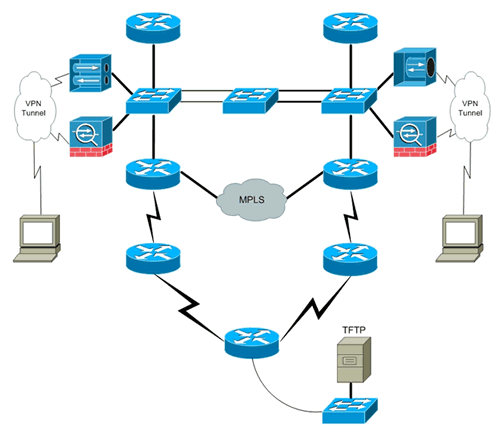
- (CCNA–ICND I & ICND II)
- Basic Networking Concepts & OSI Reference Model
- Function of Ethernet
- Network Security
- Wireless Network Technology
- Ethernet Switch Configuration
- Sub netting
- Routers and Router Configuration
- Different WAN Technologies
- Advanced dynamic Routing Protocols
- Route Summarization
- Link State Routing Protocol
- EIGRP
- Advanced Switching Technology
- VLAN and Trunks
- Access Control List
- Network Address Translation (NAT)
- IP version 6
- Wide Area Network
CCNP (Cisco Certified Network Professional )
- Implementing Cisco IP Routing (ROUTE)
- Implement an EIGRP based solution, given a network design and a set of requirements
- Implement a multi-area OSPF Network, given a network design and a set of requirements
- Implement an EBGP based solution, given a network design and a set of requirements
- Implement an IPv6 based solution, given a network design and a set of requirements
- Implement an IPv4 or IPv6 based redistribution solution, given a network design and a set of requirements
- Implement Layer 3 Path Control Solution
- Implementing Cisco IP Switched Networks (SWITCH)
- Implement High Availability, given a network design and a set of requirements
- Implement a Security Extension of a Layer 2 solution, given a network design and a set of requirements
- Implement Switch based Layer 3 services, given a network design and a set of requirements
- Prepare infrastructure to support advanced services
- Implement VLAN based solution, given a network design and a set of
- Troubleshoot
- Troubleshoot EIGRP, OSPF, EBGP
- Troubleshoot routing redistribution solution & a DHCP client and server solution
- Troubleshoot NAT
- Troubleshoot IPv6 routing & IPv6 and IPv4 interoperability
- Troubleshoot switch-to-switch connectivity for the VLAN based solution
- Troubleshoot private VLANS
- Troubleshoot port security & general switch security
- Troubleshoot VACL and PACL
- Troubleshoot switch virtual interfaces (SVIs)
- Troubleshoot switch support of advanced services (i.e., Wireless, VOIP and Video)
- Troubleshoot a VoIP support solution & a video support solution
- Troubleshoot Layer 3 Security
- Troubleshoot configuration issues related to accessing the AAA server for authentication purposes
- Troubleshoot security issues related to IOS services (i.e. finger, NTP, HTTP, FTP, RCP etc.)
Communication Skills and Personality Development
- Importance of Effective Communication
- Types of Communication
- Verbal Communication
- Scope of Written Communication
- Types of Writing
- Effective Writing
- Reading Skills
- Listening
- Improving one's Vocabulary
- Root words
- Usage of words with similar meaning
- Homophones, Synonyms & Antonyms
- Personality, its types
- Significance of Personality-An organizational perspective
- Public Speaking - As part of personality development
- Group Discussion - A practice of corporate personality development
- Interviews
- Presentation Skills - The root of Personality Development
- Acing your speech - Effective public speaking tips
- Public Presentation
- Nature and scope of a group discussion